

Prerequisites
Before using this endpoint, ensure you have:- An active campaign for mobile data disbursement — available from the Campaigns page.
- There are two ways to get a Campaign ID:
-
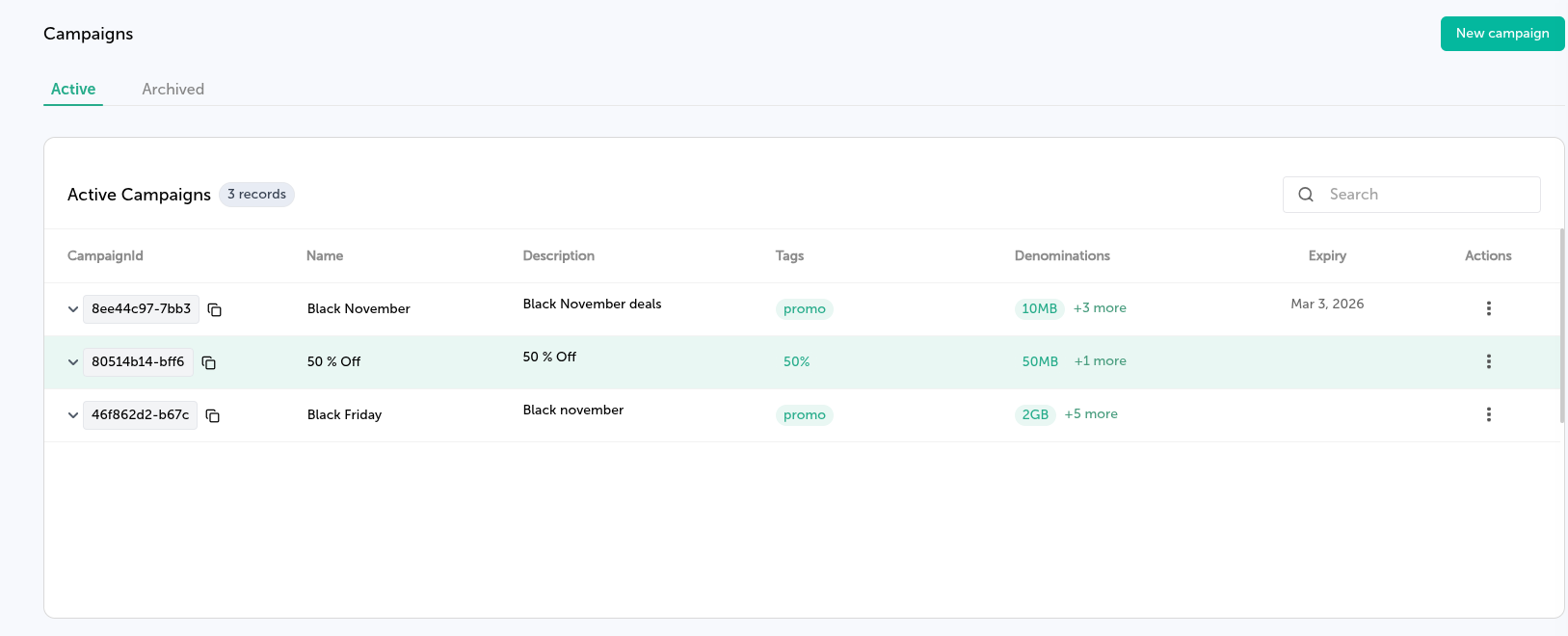
Go to the Campaigns page and copy the ID by clicking the copy icon on the
table as shown on the photo below.
- Call the List Campaigns endpoint to retrieve all available campaigns and their IDs.
-
API client authorization — Ensure your API Client includes permission to perform mobile data disbursement via
reward.mobile-data.disbursementauthorization scope. These can be managed from the API Clients page.
Optional SMS Notifications
Messaging is optional. Ifmessaging is omitted, the request disburses data only (no SMS).
If messaging is used, SMS is sent after successful data disbursement and consumes SMS units independently of data units.
Messaging Configuration
Whenmessaging is provided, messaging.serviceSelection is required.
DefaultService— uses an auto-configured/default Belio’s SMS serviceSelfService— uses an explicitly provided SMS service ID (serviceId). View available services via List Services or Message Introduction .
SendToMany
UseSendToMany to send the same denomination to multiple phones. You may include a single messaging.message (max 960 characters) to notify all recipients.
SendToEach
UseSendToEach to send different denomination values per recipient. Each disbursement may include an optional message, and you can mix recipients with and without messages.
If any disbursement includes a message, the top-level messaging configuration becomes mandatory. If no disbursement includes a message, messaging is optional and can be omitted.
- API client authorization — Ensure your API Client includes permission to perform SMS sending via
message.sms.send.onewayauthorization scope. These can be managed from the API Clients page.
Delivery Receipts
You can include an optionalreceiptRequest to receive delivery receipts for data disbursement and (when messaging is used) SMS delivery status. Receipts may be delivered asynchronously and out of order.
Optional Delivery Tracking
You may include an optionalreceiptRequest object in the request body to receive webhook notifications when a disbursement
attempt completes. When messaging is enabled, receipts can also cover SMS delivery status. Receipts may be delivered
asynchronously and out of order.
The receiptRequest object includes:
- correlator — A unique client-defined identifier used to correlate the delivery receipt with the original request.
- callbackUrl — A publicly accessible URL where delivery receipts will be pushed.