

Prerequisites
Before you begin, ensure you have:- A valid and active sms service - You can get one by visiting the Services page
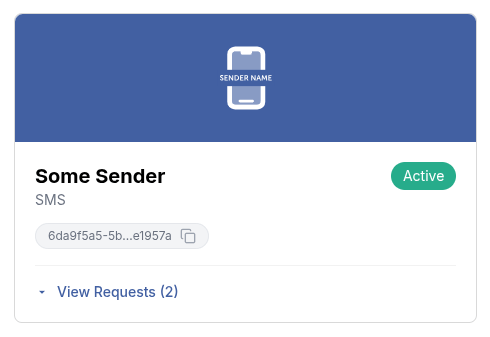
- There are two ways to get a service ID:
- Use the List Services endpoint to list all services and retrieve the ID of the specific one you intend to use
- Go to the Services page and copy the ID by clicking on the copy file icon as shown in
the image below.
- API client authorization - This endpoint requires the
message.sms.send.onewayAPI client authorization scope to send one way sms messages. You can set up scopes on the API Clients page.
Sender Types
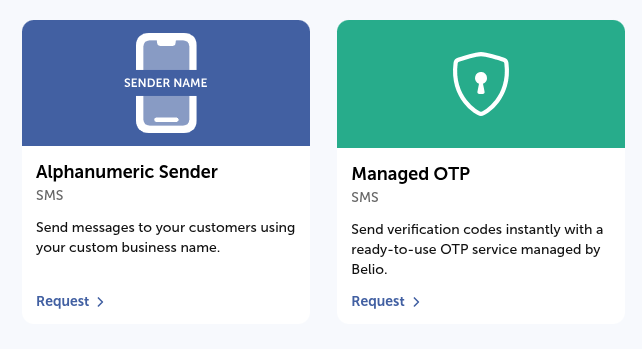
SMS messages are sent using one of two sender types:- Alphanumeric Sender is a custom, branded sender name you request for your team. Once approved, it’s yours to use freely for any message content.
- Belio-managed sender is a ready-to-use sender owned and operated by Belio (e.g. Managed OTP), intended for a specific purpose such as authentication. Because Belio owns and is responsible for these senders, their use is restricted to that purpose, and messages sent through them require additional approval. See Templates for how this applies to template-based sends.
Advanced Features
For enhanced functionality, you can include an optionalreceiptRequest in
the request body. This feature allows you to receive delivery receipts for the messages
you send, enabling you to track their status and confirm a successful delivery. The
receiptRequest object includes the following fields:
- correlator: A unique string to correlate the delivery receipt with the original message.
- callbackUrl: A URL where the delivery receipt will be sent.